

Keep your Mac awake.
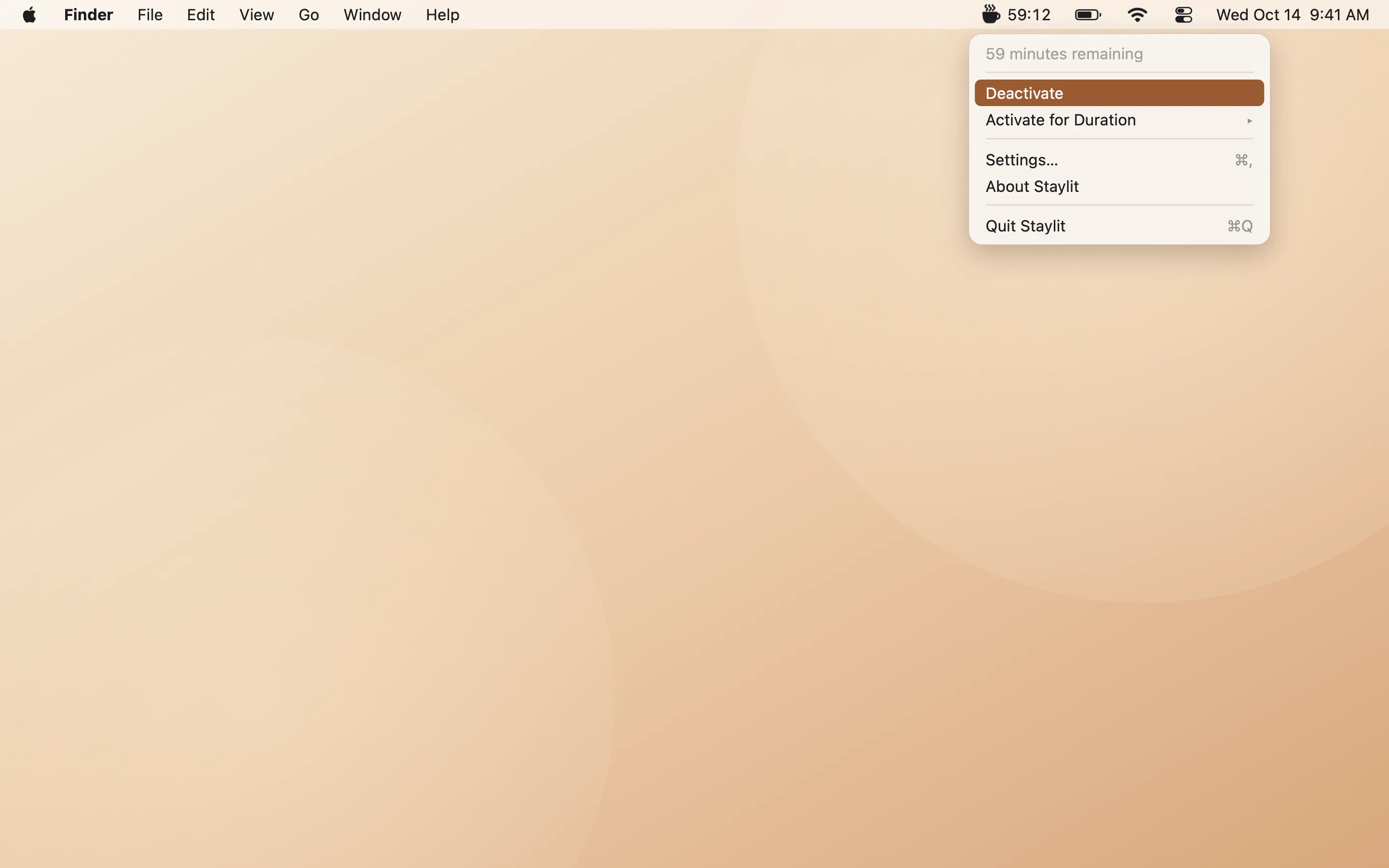
A cup of coffee for your Mac. One click in the menu bar keeps it from sleeping for as long as you need, and not a minute longer.

Go on, click the cup.
Features
Small app. Strong coffee.
Everything you need to keep your Mac awake, and nothing you don’t.
One click
Click the cup in your menu bar to keep your Mac awake. Click again and it sleeps as usual.
Timers with a countdown
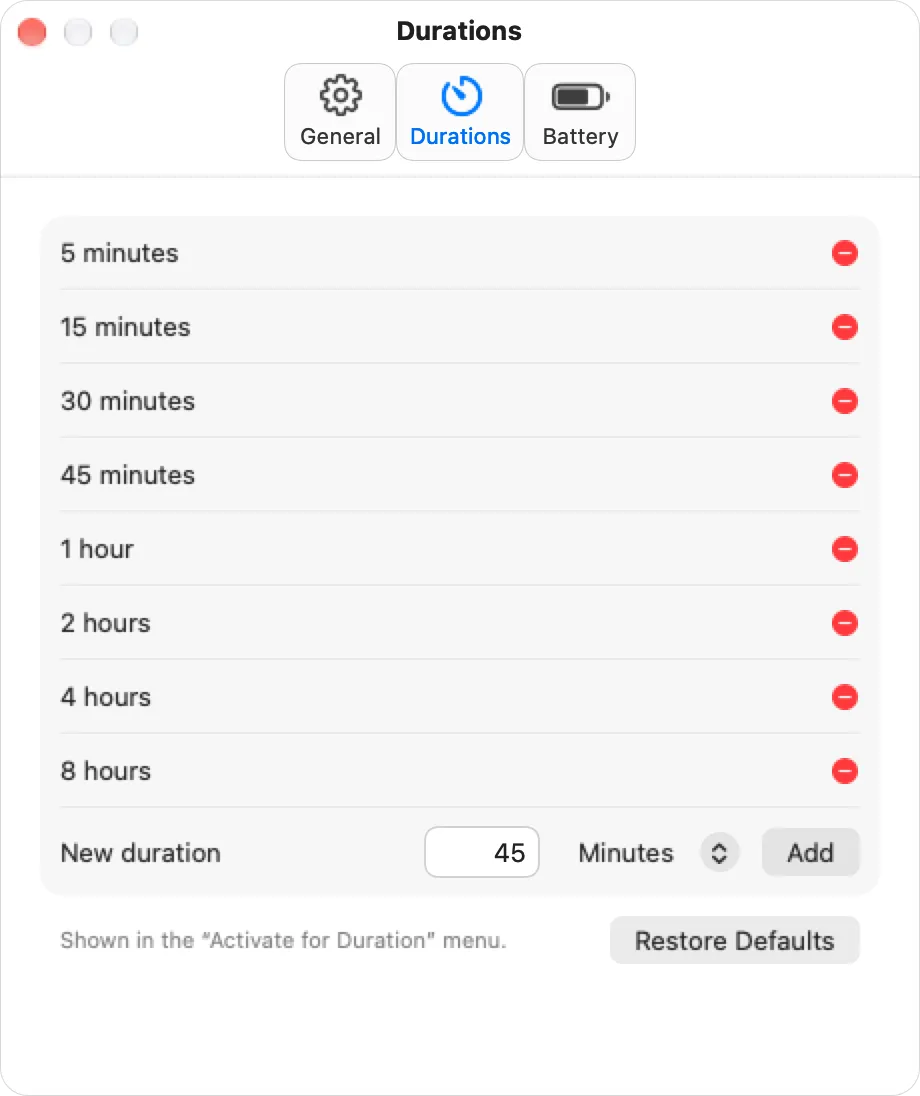
Stay awake for 5 minutes up to 8 hours, or indefinitely, with the time left right in the menu bar.
Your own durations
Add the times you actually use. Staylit remembers the one you picked last.
Let the display sleep
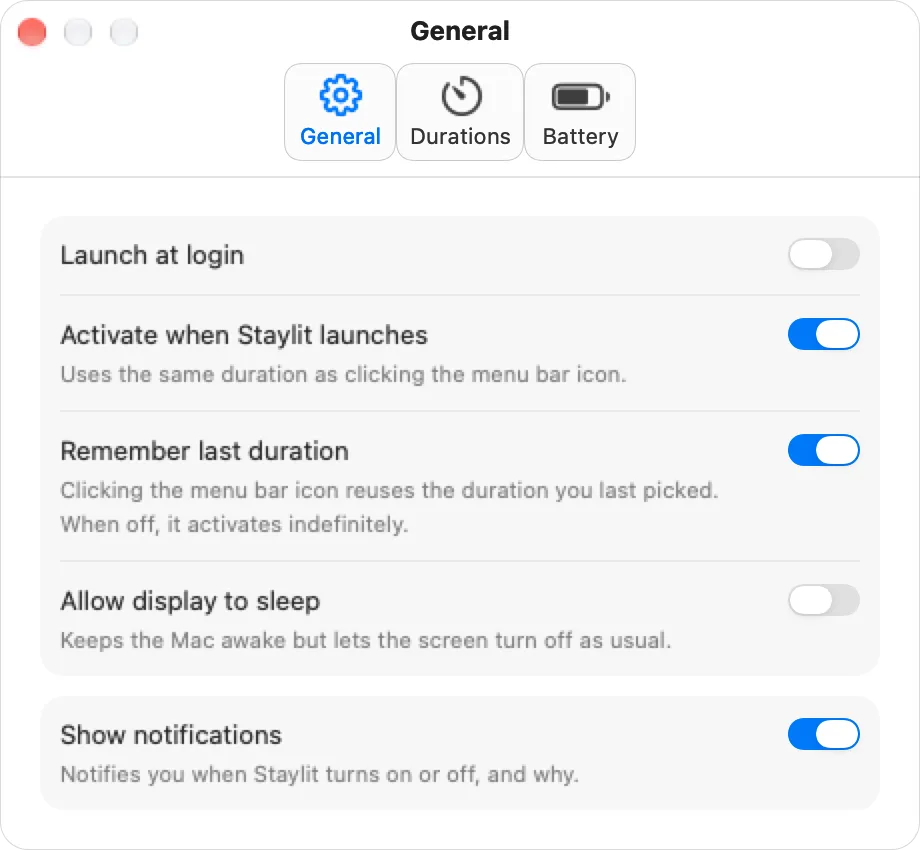
Keep a download or build running while the screen turns off as usual.
Battery-aware
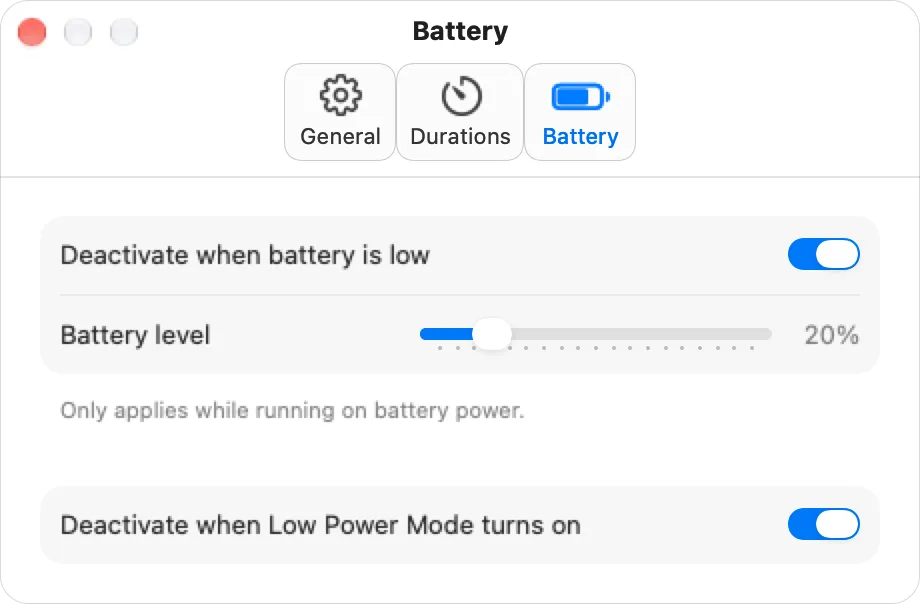
Turns itself off when your battery drops below a level you choose.
Low Power Mode
Steps aside the moment Low Power Mode turns on.
Launch at login
Ready when your Mac is, and optionally switched on from the start.
Notifications
An optional heads-up when Staylit turns on or off, and why.
Automation
staylit:// links work with Shortcuts, scripts and your favourite launcher.
A closer look
Settings that stay out of your way.

Automation
Wake it from anywhere.
Staylit understands simple links, so Shortcuts, scripts, Raycast or Alfred can switch it on before a long job and off when it’s done.
# Stay awake for 30 minutes
open "staylit://activate?minutes=30"

# Also: seconds=… or hours=…, or no time for indefinitely
open "staylit://activate?hours=2"

# Turn it off, or flip it
open "staylit://deactivate"
open "staylit://toggle"
Private by design.
No accounts, no analytics, no network connections. Staylit collects no data at all. Read the privacy policy.
Questions
Good to know.
Will my screen stay on?
Yes, by default. If you only need your Mac to keep working, turn on “Allow display to sleep” in Settings and the screen will turn off as usual while Staylit keeps the Mac awake.
What happens when I close my MacBook’s lid?
Staylit prevents idle sleep, the kind that happens when you step away. Closing the lid still puts a MacBook to sleep as macOS normally does.
Does it drain my battery?
Staylit itself uses almost no energy, but keeping a Mac awake does use more battery than letting it sleep. That’s why Staylit can switch itself off below a battery level you choose, or when Low Power Mode turns on.
Where are Settings and Quit?
Right-click (or Control-click) the cup in your menu bar to open the menu with timers, Settings, About and Quit.
What data does Staylit collect?
None. Staylit has no accounts, no analytics and never connects to the internet. Your settings stay on your Mac.

Your Mac, wide awake.